
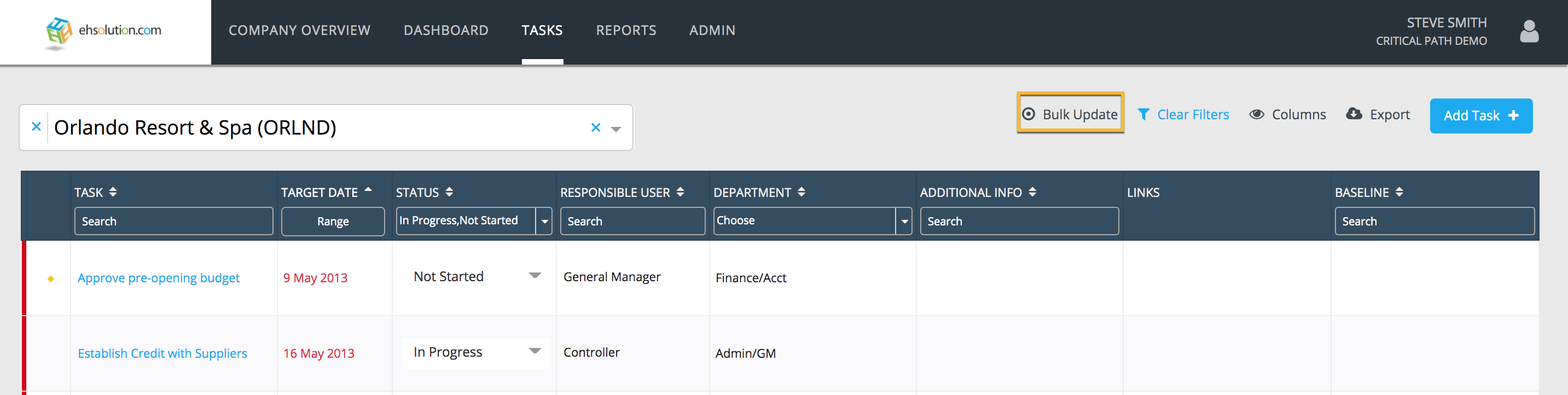
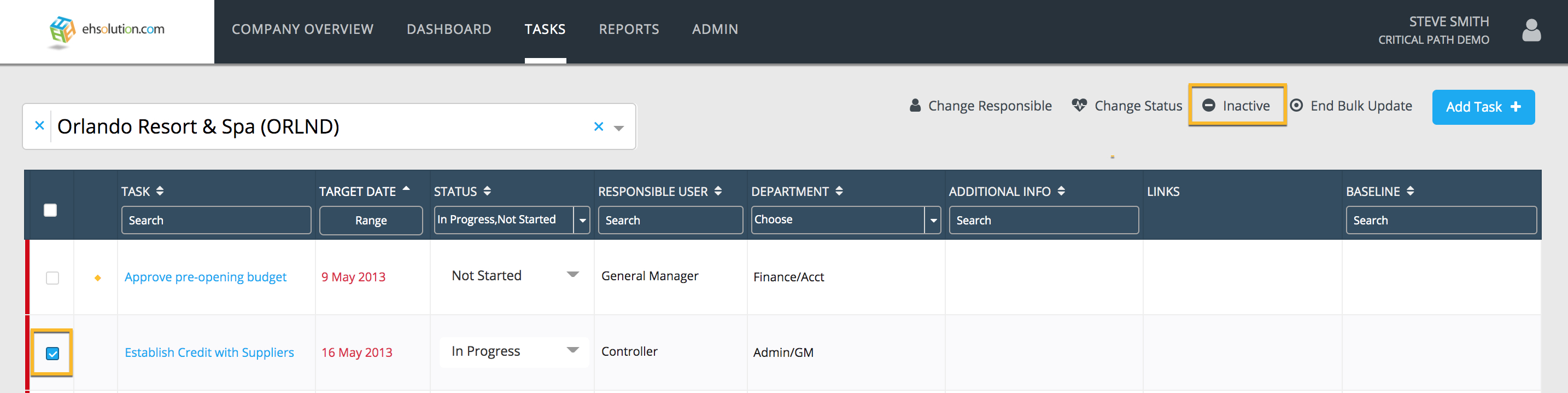
To remove a Task from the Location’s Tasks page:
- Select the Bulk Update option on the top menu
- Check the box of the task you’d like to remove in the first column
- Select the Inactive option on the top menu
- You will receive either:
- A success message that your task was inactivated
- An error message if your task is linked to other tasks as a contingent task (may not apply to your subscription)
- A successfully inactivated task will no longer appear on the Location’s Tasks page but will remain on the Baseline and at other Locations
Comments
0 comments
Article is closed for comments.