Skip to main content
How do I copy a baseline?
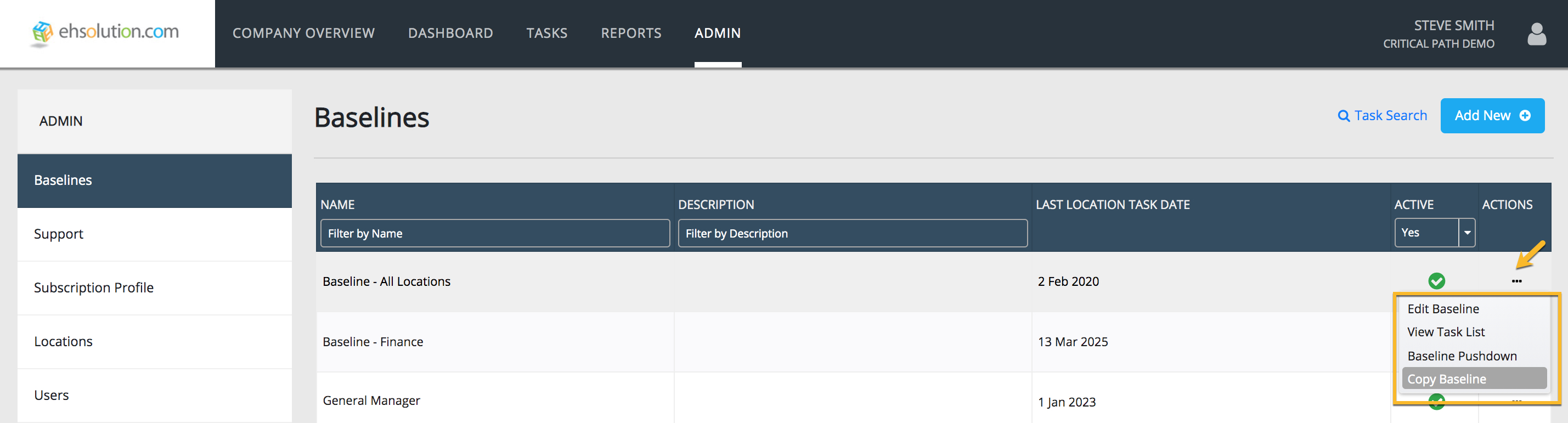
- Select Admin on the header bar
- Select Baselines on the left-hand menu
- On the Baseline you’d like to copy, Select the “…” in the Actions column
- On the dropdown menu, Select “Copy Baseline”
- Enter the name for your copied Baseline and a description
- Select Save button
- To edit the details, Job Titles and User edit access for your new Baseline, Select on the “…” in the Actions column and Select “Edit Baseline”

Comments
0 comments
Article is closed for comments.