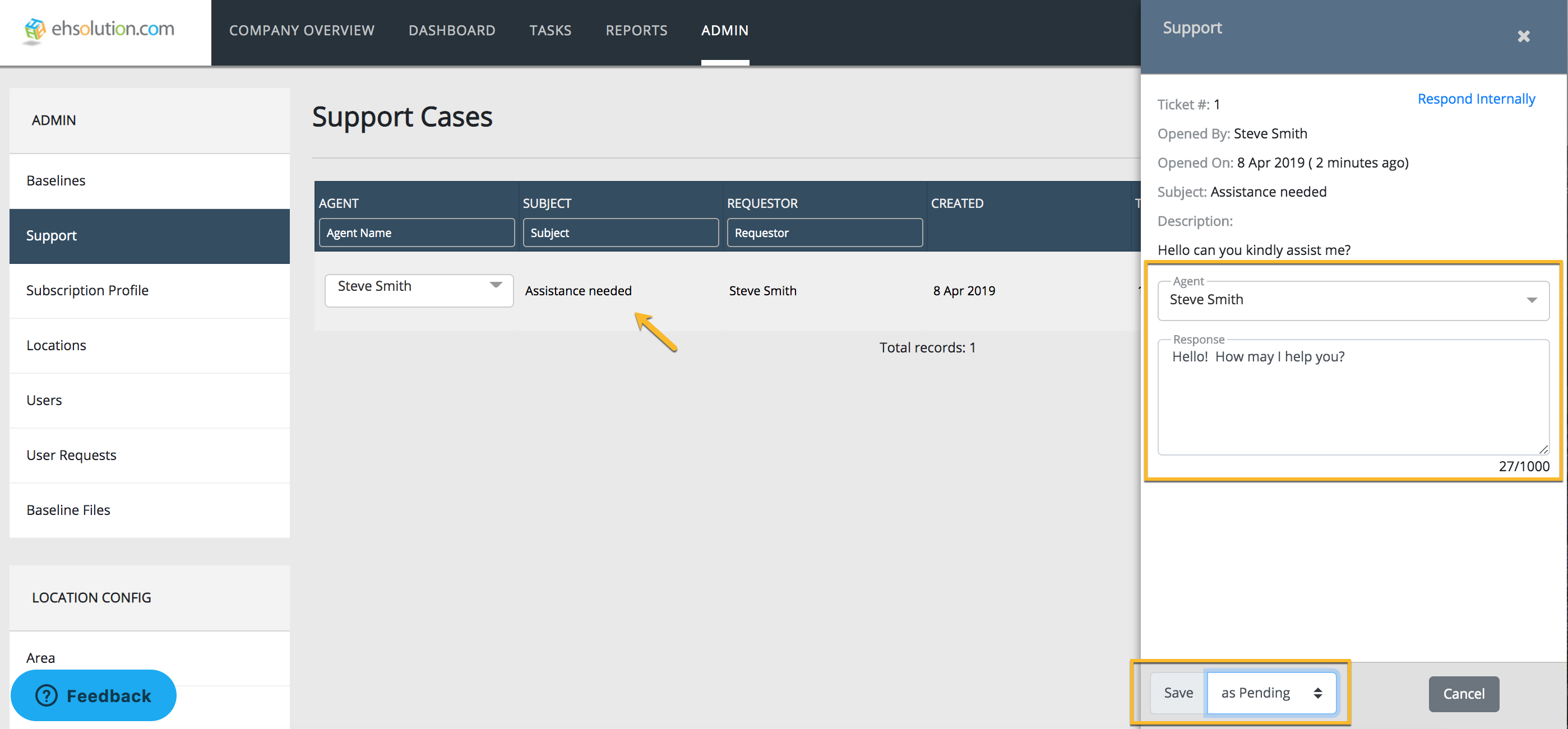
How do I respond to a support ticket? Krystina Krysiak December 16, 2020 21:12 Updated Navigate to the Admin menu Select Support Select the support case that you’d like to respond to Type a response in the box Toggle the ticket status to Solved or Pending and Select Save The user will receive and email containing your response Related articles How do I get help from my Administrator? Comments 0 comments Article is closed for comments.

Comments
0 comments
Article is closed for comments.